Convert PNG to SVG Vectors – Free & Accurate Online Tool
Upload one or more PNG images (up to 10) and convert them to scalable SVG vector graphics using smart shape detection. For best results, use PNG images with clear shapes and a transparent background.
Drag and drop PNG files or browse to upload.
 Free to use
No credit card required
Free to use
No credit card required
Your files are processed temporarily and automatically deleted after conversion.
How It Works
From upload to vector — our smart engine makes it seamless in just a few steps.
Step 1: Upload
Drag and drop or browse to upload up to 10 PNG files (max 10MB each).
Step 2: Detect Shapes
Our shape detection engine analyzes each image to identify clean regions with precision.
Step 3: Convert to SVG
Detected shapes are converted into smooth, scalable vector paths (SVG format).
Step 4: Download
Instantly download your clean SVG files — no login, no watermark, 100% free.
See the Difference
From raster to vector in seconds — smooth, scalable, and beautiful results.
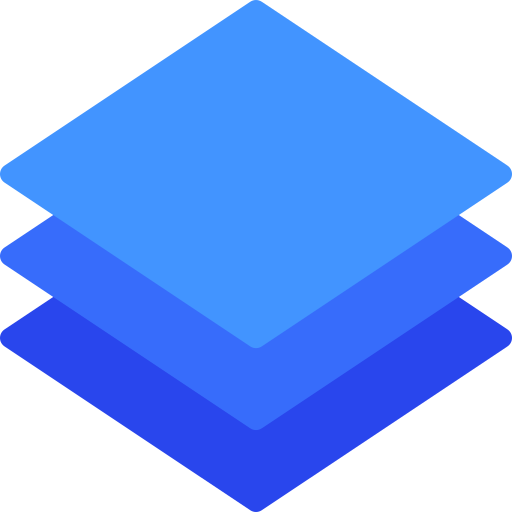
Original PNG Image
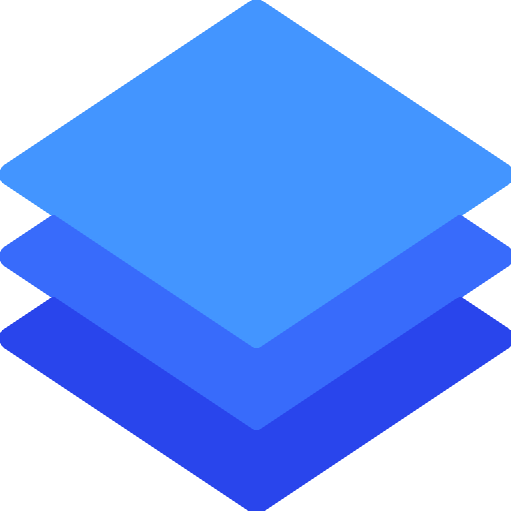
Converted SVG Output
Built for Designers, Developers & Digital Creators
Join thousands using Shape to Vector for accurate, scalable image conversion with zero hassle.
29,910+
Total Visits
5,609+
Converted PNGs
4,748+
Downloads
3.9 (42)
Average Rating
Stay in the Loop
Get notified when we launch new features like JPG, PDF, or advanced tracing.
Love the Output?
Give us a quick ⭐️ rating — it helps Shape to Vector grow and stay free!
Best for: logos, icons, clipart, and flat illustrations. Not ideal for: photographs, complex textures, or highly detailed gradients.
Free PNG to SVG Converter — No Signup, No Watermark
Shape to Vector is a free online tool that lets you convert PNG to SVG instantly — no registration, no watermark, and no software to install. Simply upload your PNG image, click Convert, and download a clean, scalable SVG vector file in seconds. Whether you are a web developer, graphic designer, or hobbyist, Shape to Vector gives you professional-quality vector output at zero cost.
Unlike other online converters that limit your downloads, add watermarks, or require you to create an account, Shape to Vector is completely free and open to use as many times as you need. You can convert up to 10 PNG files in a single session and download them all as a ZIP archive.
What Is PNG to SVG Conversion?
PNG is a raster image format — it stores images as a fixed grid of pixels. When you scale a PNG up, it becomes blurry and pixelated. SVG (Scalable Vector Graphics) is a vector format that stores images as mathematical paths and shapes. SVG images scale perfectly to any size — from a tiny favicon to a massive print banner — without any loss of quality.
Converting a PNG to SVG means transforming your pixel-based image into a resolution-independent vector file. This is essential for logos, icons, and illustrations that need to look sharp across different screen sizes, resolutions, and print formats.
How Our PNG to SVG Converter Works
Shape to Vector uses a pixel-level shape detection algorithm to analyze your PNG image. The engine scans every pixel and groups connected pixels of the same color into regions. Each region is then traced with a contour algorithm to produce a precise polygon path. The result is an SVG file that accurately mirrors the original image — shape by shape, color by color.
This approach is especially effective for:
- Logo vectorization — convert flat-color logos from PNG to clean, editable SVG
- Icon conversion — turn PNG icons into scalable SVG for web and app use
- Clipart and illustrations — vectorize flat illustrations for use in design projects
- Cricut and laser cutting — prepare PNG designs as SVG for cutting machines
- Print design — convert raster artwork to resolution-independent vector for large-format printing
Why Use SVG Instead of PNG?
SVG files offer several major advantages over PNG for graphics that need to be versatile and scalable:
- Infinite scalability — SVG looks crisp at any size, on any screen or print resolution
- Smaller file size — for simple graphics, SVG files are significantly smaller than PNG
- Editable — SVG is a text-based format, editable in code or design tools like Figma, Illustrator, and Inkscape
- Animatable — SVG elements can be animated with CSS and JavaScript
- SEO-friendly — SVG images embedded in HTML can be indexed and read by search engines
- Retina-ready — SVG renders perfectly on high-DPI and Retina displays with no extra effort
Best Practices for PNG to SVG Conversion
To get the best results from Shape to Vector, follow these simple tips:
- Use PNG images with a transparent background — transparent pixels are ignored, giving cleaner output
- Choose images with flat, solid colors rather than photographs or gradients
- Higher resolution PNGs produce more accurate contour tracing
- If your image has a white background, remove it first using a background removal tool
- After downloading, run your SVG through SVGOMG to further reduce file size for production use
Who Uses Shape to Vector?
Shape to Vector is used daily by thousands of people worldwide across a wide range of professions and creative fields. Web developers convert icons and logos to SVG to improve page performance and support Retina displays. Graphic designers use it to vectorize sketches and flat artwork before importing into Illustrator or Figma. Crafters and makers convert PNG clipart to SVG for Cricut, Silhouette, and other cutting machines. Marketing teams convert brand assets to SVG to ensure logo sharpness in email campaigns, presentations, and social media. Students and educators use it to prepare clean illustrations for reports and presentations.
Whatever your use case, Shape to Vector makes the process of converting PNG to SVG fast, free, and accessible to everyone — no technical skills required.
Have questions about the conversion process? Visit our FAQ page for detailed answers, or contact us directly.